
THAT MOMENT WHEN YOU REALIZE YOUR CAR HAD A TURBO BUTTON THIS WHOLE TIME
You know that feeling when you've been driving a car for months and then one random Saturday you notice a button you've NEVER pressed before? You hit it, expecting maybe the radio to change... and suddenly your whole car TRANSFORMS. That's basically what happened when I discovered Claude Code's agent teams.
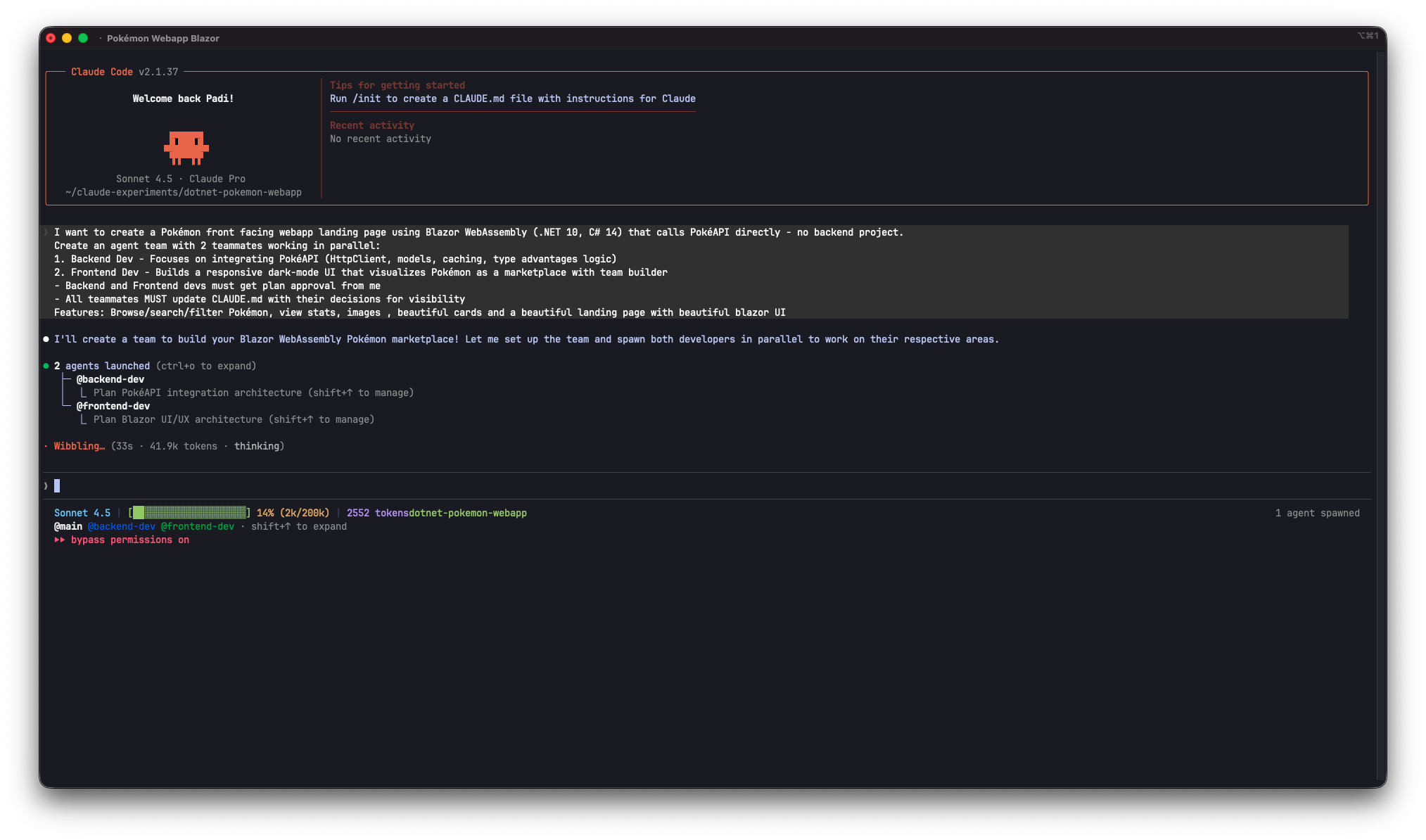 Watching agents spawn and organize themselves felt like magic
The Auto-Compact Dread.
You know it. That moment when your conversation gets LONG and Claude says "2% till compact (FAAH)" and suddenly you're terrified you're about to lose important information. Main thread getting thicc. Context getting squeezed. Not ideal.
So I started using these smaller features to avoid burning my main thread:
- Tasks: Structured work tracking that helps preserve context (basically to-do lists that Claude can reference)
- Sub Agents: Spawn separate contexts so they handle specific work and keep main thread clean
- Slash commands: Quick operations that don't bloat the conversation
I'd been using agents before I knew tasks even existed. Always thought it was to automate normal processes like "Create this PR" or "Don't nuke the production database", later I realised that it kept my main thread from exploding.
But then... this process got a bit more expensive in terms of tokens.
Sometimes agents would return HUGE information dumps. Like, WALLS of text. And my main thread couldn't handle it. I had to start thinking: "How can I flip the script here... I need to be strategic about what goes in the main conversation."
Then came the discovery.
I was reading about Claude Opus 4.6 on Anthropic's news page. You know, like signing up for a free trial just to see what all the fancy buttons do, then setting a calendar reminder to cancel on day 29, not paying for premium just yet, but it looks really cool and I wanted to see what the hype was about. That's when I found this cool video about the new Agent Teams feature:
In this video, the creator breaks down the Agent Teams feature in Claude Code and shows how to build a global Tide & Sea Temperature app without writing a single line of code themselves. They set up a debate between a Backend Dev, a Frontend Dev, and a ruthless Devil's Advocate agent to build the perfect app. Watching these agents argue about architecture is EXACTLY what got me hooked.
Sometimes the best features are the ones you discover while researching something else entirely
And my brain just went: "WAIT. CAN'T I MAKE LIKE A COUPLE CLAUDE SESSIONS IN TERMINAL AND HAVE THEM SPEAK TO EACH OTHER?"
Like, I'd JUST learned to avoid main thread burn by using tasks and agents. And now the universe was showing me there's an EVEN BETTER way?
The timing was PERFECT. Too perfect. Like the universe heard my struggle and said "here, I got you."
WHAT EVEN ARE CLAUDE CODE AGENT TEAMS?
Let me break down what this actually is, because it's different from the regular agents I'd been using:
Regular agents vs. Agent Teams - The Key Difference:
What I'd been using before (let's call them Sub Agents):
- Run within a single Claude session
- Report results back to YOU (the main agent)
- One-way communication only
- Great for focused tasks where you just need the answer
- Lower token cost
Agent Teams (My new crush from the same area):
- Each teammate is a FULL, separate Claude Code instance
- They communicate with EACH OTHER directly
- They share a task list and coordinate on their own
- They can debate, challenge each other's findings, collaborate
- Higher token cost (each is a separate Claude instance)
- Best for complex work requiring actual team discussion
It's the difference between:
- Sub Agents: "Hey intern, go research this and report back"
- Agent Teams: "Hey team, let's tackle this together and hash it out"
The basic flow:
- TeamCreate - Spin up a team with a name and purpose
- TaskCreate - Break your work into tasks
- Spawn teammates - Create specialized agents with roles
- Watch them collaborate - Agents claim tasks, message each other, debate approaches
- TeamDelete - Clean up when done
It's basically multiple terminal windows with separate Claude sessions, except they can actually TALK to each other and coordinate work through a shared task list.
Quick note for Windows users: Not 100% sure about Windows support here. The docs say tmux works best on macOS and you can use iTerm2's tmux integration mode (tmux -CC) for the cleanest experience. Your mileage may vary on other platforms.
WHY I WANTED TO TRY THIS
Here's the thing: I'd JUST figured out how to avoid auto-compact hell by using tasks, skills, commands and regular agents. I was feeling pretty smart about my workflow optimization.
Then I see agent teams and realize... wait, this is a WHOLE different level.
The use case that got me curious? They showed me how I can have multiple agents working together, coordinating, debating approaches. Not just "go fetch this info and come back", actual COLLABORATION.
And I thought: "If I'm trying to avoid dumping huge context into my main thread, what if I could have agents that TALK TO EACH OTHER instead of always reporting back to me?"
Like:
- One agent researches something
- Instead of dumping ALL findings back to main thread...
- It messages ANOTHER agent directly
- They discuss, refine, summarize
- Only the RELEVANT stuff comes back to me
Context preservation + distributed thinking = main thread stays clean AND work gets done faster.
That's the theory anyway. Time to test it.
THE EXPERIMENT: MY OWN POKEMON DEMO
After watching that video, I wanted to test agent teams with my own project. Here's what I planned:
The Project: Build a Pokémon webapp using:
- Blazor WebAssembly (.NET 10, C# 14)
- PokéAPI
- Agent team with Backend Dev + Frontend Dev working in parallel
- Both devs need plan approval from main thread/me before implementing
- All teammates MUST update CLAUDE.md with their decisions
Why Pokemon? It's the perfect test case:
- Clear API to integrate (PokéAPI)
- Both backend AND frontend work that can be parallelized
- Complex enough to need actual team coordination
- I can see if they debate architecture like in the video
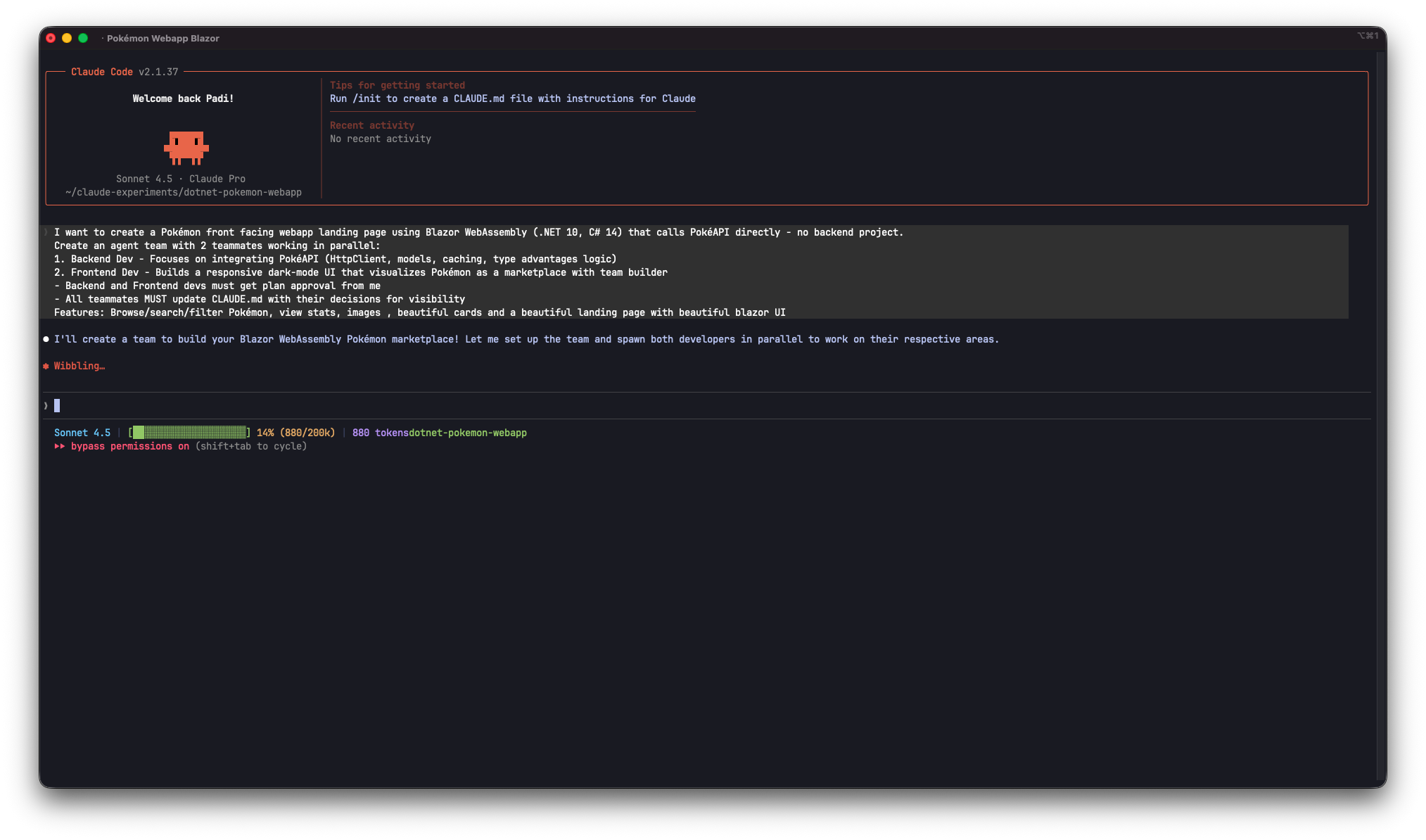 Laying out the project requirements and spawning the team
THE KEY INSIGHT: TWO MODES OF OPERATION
Before I get into the demo results, there's something CRITICAL from the documentation that changed how I think about agent teams:
In-Process vs Split Panes Mode
You can run agent teams in TWO ways:
In-Process Mode (default):
- All teammates run inside your MAIN terminal
- Use Shift+Up/Down to select a teammate
- Type to message them directly
- Works in ANY terminal, no extra setup
- Cleaner, simpler, less visual overhead
Split Panes Mode (requires tmux or iTerm2):
- Each teammate gets its OWN pane
- See everyone's output AT ONCE
- Click into a pane to interact
- More visual but requires setup
- Best on macOS with tmux (docs recommend
tmux -CCin iTerm2)
The default is "auto" - it uses split panes if you're already in a tmux session, otherwise in-process.
Why this matters for context preservation:
In-process mode is PERFECT for my use case. I don't need to see every agent's full output scrolling by. I just need them to:
- Work independently
- Message each other (not me)
- Report back ONLY the synthesized results
It's like having a team Slack where you're not @mentioned in every conversation, you just get the summary when decisions are made.
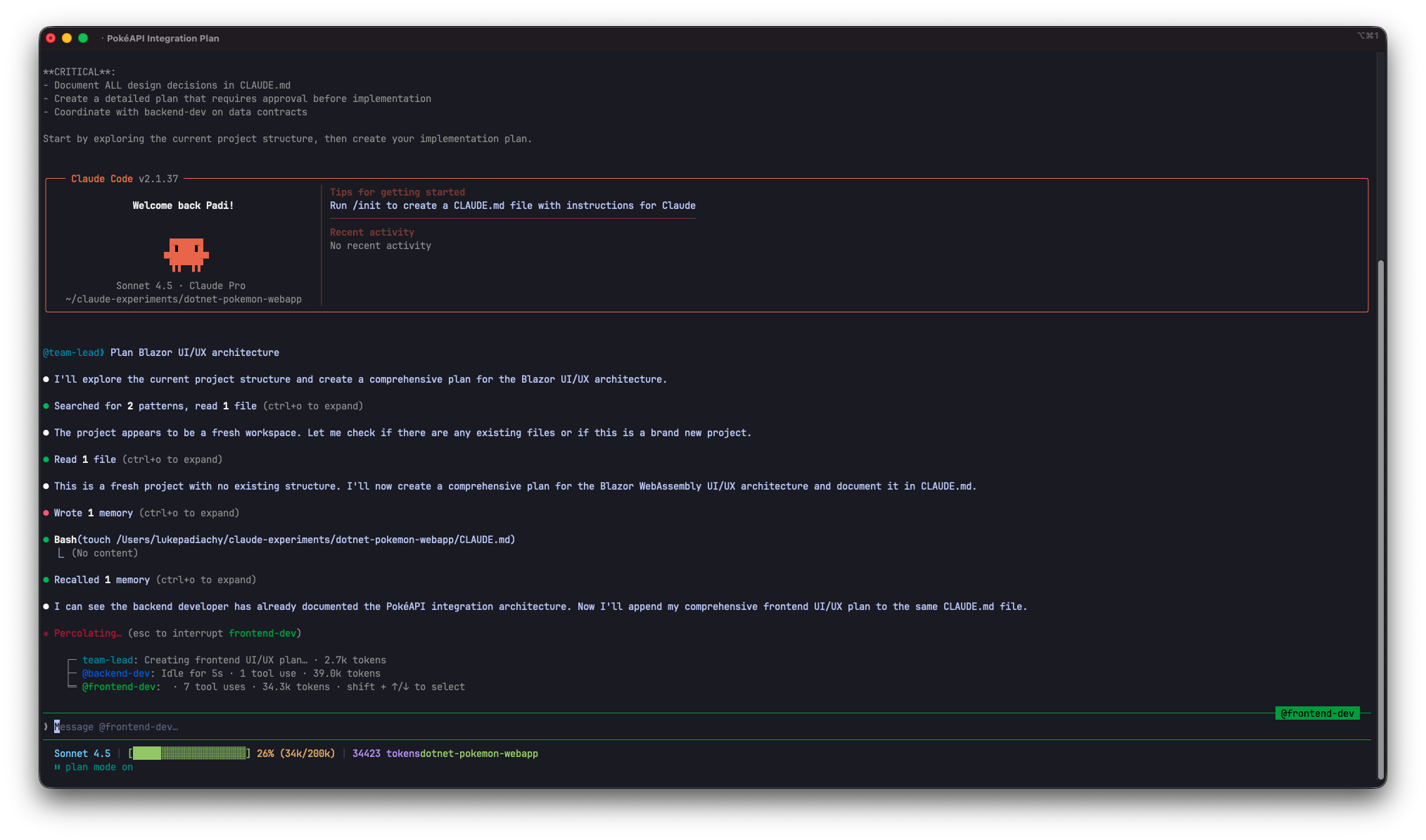 Backend and frontend devs planning the integration while I sit back and watch
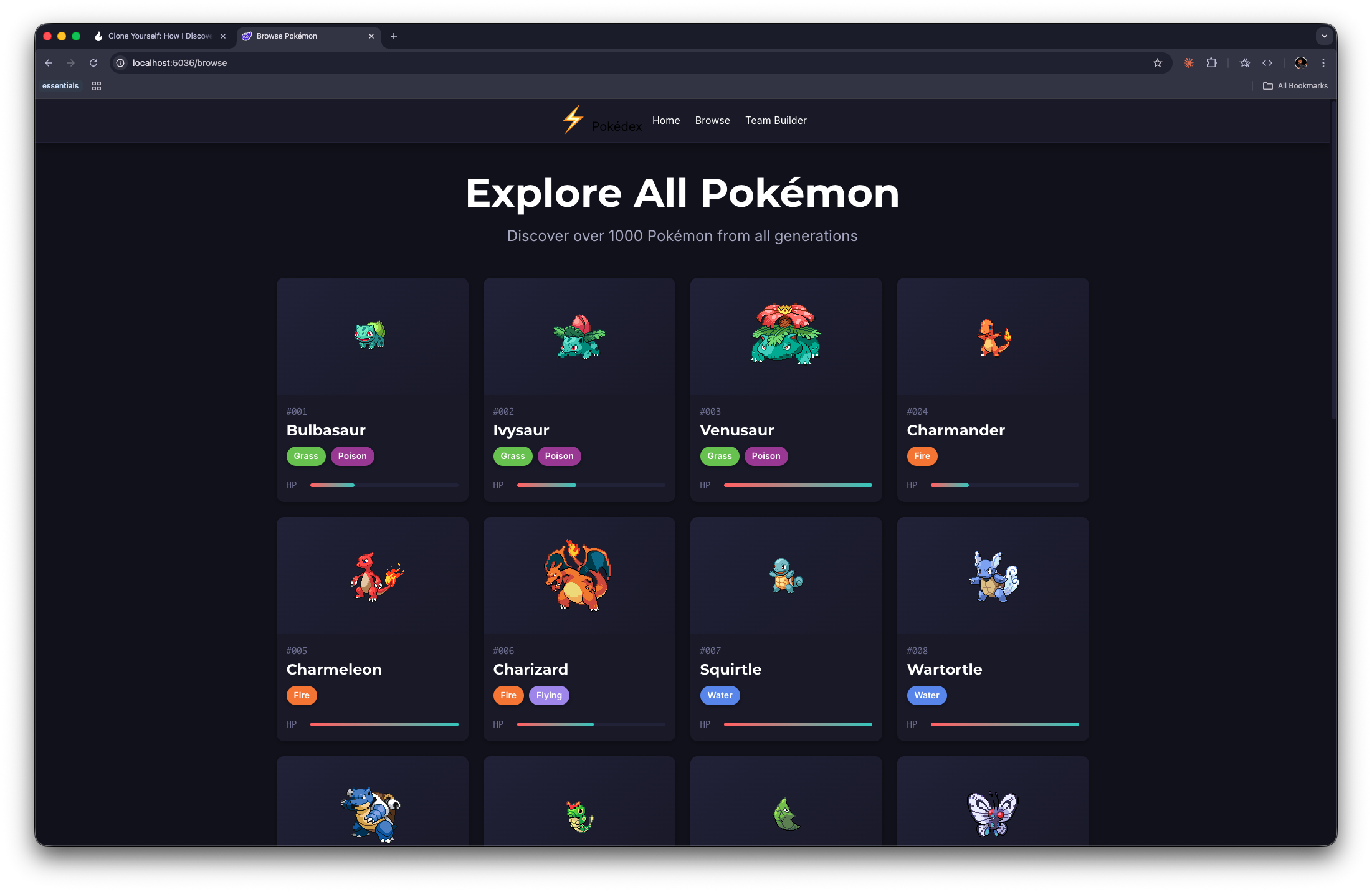
Final Product
This was pretty cool, it took some time but created a whole working project. Sure, there might be some weird quirks under the hood, but the main goal was exploring Claude Code's agent teams flow, and that worked perfectly. If you want to check out what the agents built, the full repo is up on GitHub.
THE WORKFLOW: HOW IT ACTUALLY WORKS
Let me break down the mechanics so you can try this yourself:
Creating Tasks
Tasks are the backbone of team coordination. Each task has:
- Subject: Brief title (imperative form: "Document animation system")
- Description: Detailed requirements
- Status:
pending→in_progress→completed - Owner: Which agent claimed it
- Dependencies: What blocks it, what it blocks
Spawning Teammates
When you create an agent, you specify:
- Name: Human-readable identifier (e.g., "researcher", "tester")
- Type: What tools they get access to (explore, full-capability, etc.)
- Team: Which team they join
CRITICAL INSIGHT: Agent types determine capabilities. Explore agents can't edit files. Full-capability agents can do everything. Choose wisely.
Agent Communication
Agents communicate through SendMessage tool:
- Direct messages: One agent to another
- Broadcasts: Message the whole team (use sparingly - it's expensive!)
- Shutdown requests: Gracefully end an agent's work
Messages are auto-delivered. No manual inbox checking. When an agent finishes a task or needs input, you get notified.
Task Coordination
Agents use the shared task list to:
- TaskList: See available work
- Claim tasks: TaskUpdate to set themselves as owner
- Work: Do the thing
- Mark complete: TaskUpdate to
completed - Find next task: Back to TaskList
The task list is stored in ~/.claude/tasks/{team-name}/ and all agents can access it.
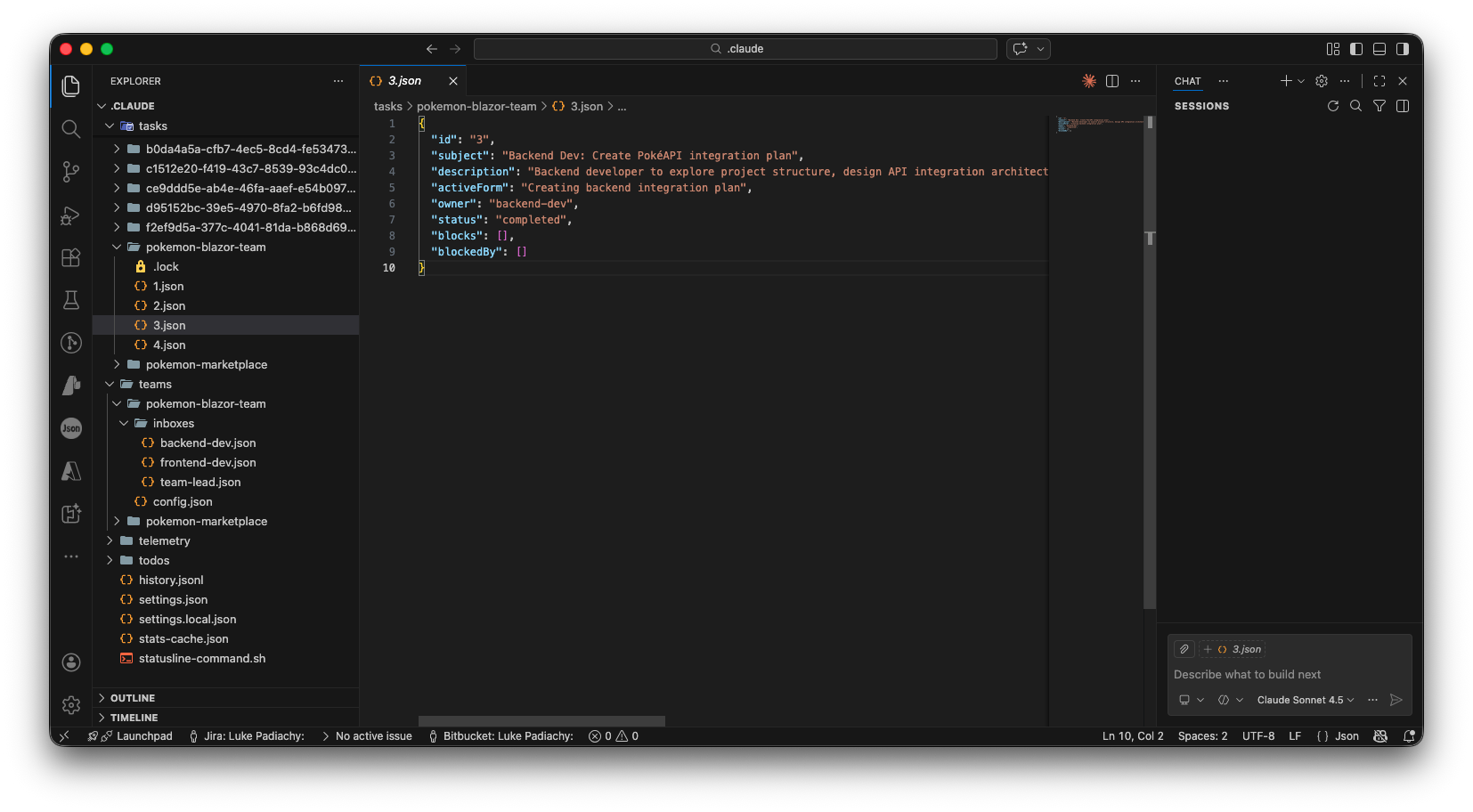 How task dependencies keep work organized
Note: The examples below are based on understanding how agent teams work from the docs and the video.
WHAT I LEARNED: THE GOOD, THE WEIRD, THE "WAIT WHAT?"
THE GOOD
1. Parallelization is REAL Multiple sessions spun up with a single prompt and they are linked together, BIG WIN !
2. Different Perspectives, Same Model Even though all agents are Claude Sonnet 4.5, giving them different roles genuinely made them approach problems differently. The frontend dev was focusing really hard. The backend dev was concise. The team lead was nitpicky. Same brain, different hats.
3. Task Management Became ESSENTIAL Breaking work into clear, atomic tasks made everything smoother. Vague tasks led to confusion. Specific tasks led to clean execution.
4. They Self-Organize I barely had to micromanage. Agents would claim unblocked tasks, communicate blockers and keep moving.
THE WEIRD
1. Agents Go Idle A LOT After every turn, agents go idle. This is normal. It just means they're waiting for input. But the first time I saw "frontend dev has gone idle" I panicked thinking it crashed. Nope. Just chilling.
2. Plan Mode + Teams = INTERESTING
If you set an agent to plan_mode_required, they have to get approval before executing. This led to a reviewer approving a writer's plan... which felt very "manager reviewing a junior's proposal" even though they're the same AI. Meta.
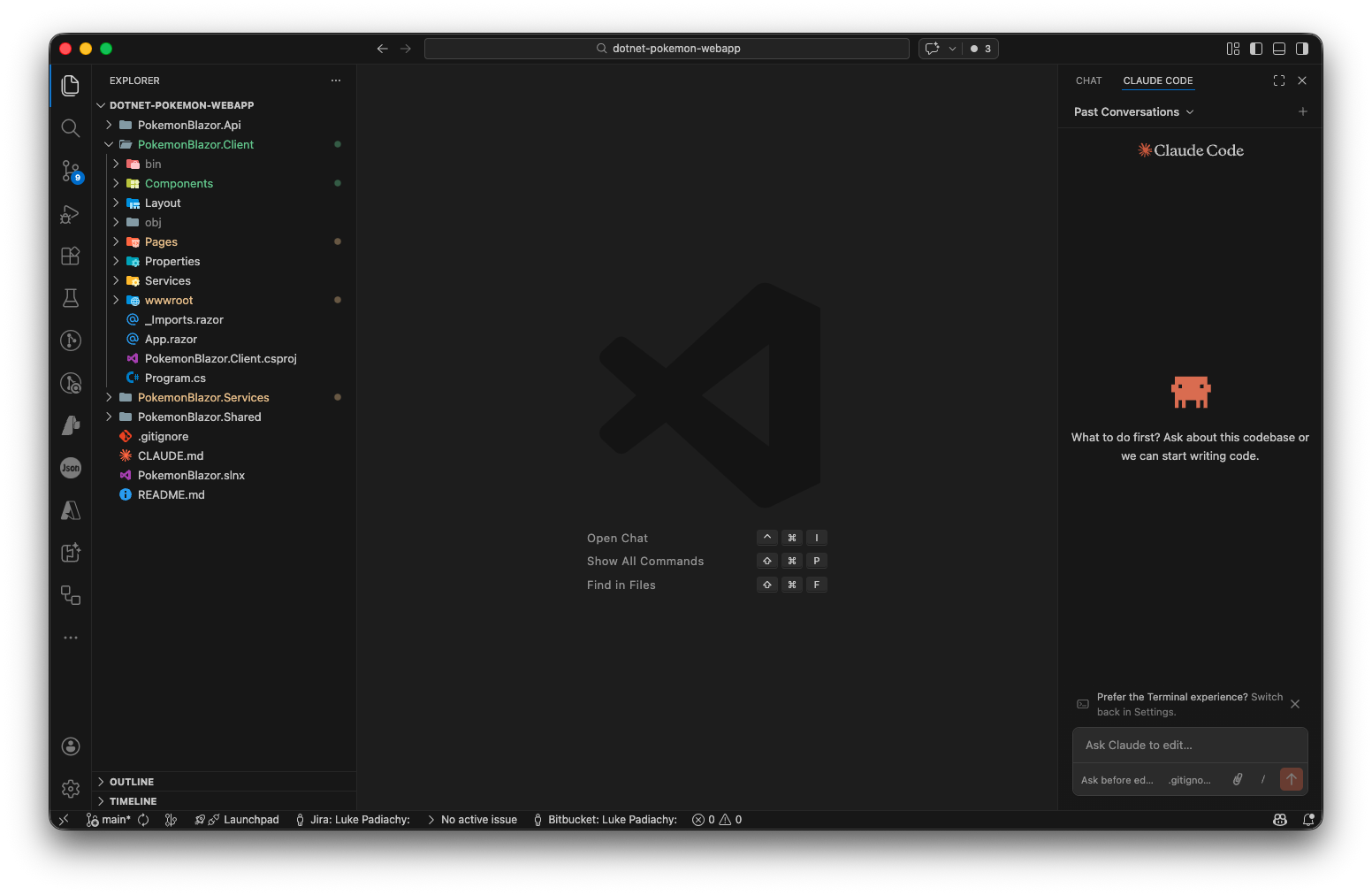 Backend dev's pristine project structure, it took the clean code philosophy seriously
REAL TALK: THE CATCH (BECAUSE THERE'S ALWAYS A CATCH)
Okay, let's be honest. This is DOPE technology, but it's experimental and comes with its own limitations. Here's what you NEED to know:
Token Costs Are QUITE LARGE
This is the big one. From the docs: "Agent teams use a lot more tokens than a single session."
Why? Because each teammate is a SEPARATE Claude instance with its OWN context window. Token usage scales with team size.
Quick math:
- 3 teammates = 3x the token usage (minimum)
- Each agent's context window grows independently
Use broadcasts SPARINGLY. The docs are CLEAR about this:
"Broadcasting sends the SAME message to EVERY agent. 10 agents = 10 separate deliveries. Use sparingly. Direct messages are way more efficient."
When teams are worth the token cost:
- Research and review (parallel exploration adds real value)
- New modules/features (teammates own separate pieces)
- Debugging with competing hypotheses (test theories in parallel)
- Cross-layer work (frontend + backend + tests, each owned separately)
When they're NOT worth it:
- Sequential tasks (one thing depends on the last)
- Same-file edits (coordination overhead > benefit)
- Quick bug fixes (solo is faster)
- Routine tasks (single session is more cost-effective)
This Feature Is EXPERIMENTAL
The docs have a big warning: "Agent teams are experimental and disabled by default."
You have to explicitly enable them by adding CLAUDE_CODE_EXPERIMENTAL_AGENT_TEAMS to your settings or environment.
Enable agent teams: Add to your settings.json or environment:
{
  "env": {
    "CLAUDE_CODE_EXPERIMENTAL_AGENT_TEAMS": "1"
  }
}
Current limitations (straight from the docs):
- No session resumption with in-process teammates (
/resumedoesn't restore them) - Task status can lag (teammates sometimes forget to mark tasks complete)
- Shutdown can be slow (they finish current work before stopping)
- One team per session (clean up before starting a new one)
- No nested teams (teammates can't spawn their own teams)
- Permissions set at spawn (all teammates inherit lead's permission mode)
- Split panes require tmux or iTerm2 (in-process works anywhere though)
Cleanup is CRITICAL
When done:
- Shutdown all agents gracefully (send shutdown requests, wait for confirmations)
- Run TeamDelete (removes team directory and task files)
The docs warn: "Always use the lead to clean up. Teammates should not run cleanup because their team context may not resolve correctly."
If you forget? Ghost teams in ~/.claude/teams/ and orphaned task directories in ~/.claude/tasks/.
For tmux users, you might also need to manually kill sessions:
tmux ls
tmux kill-session -t <session-name>
You WILL Fumble the First Time
Learning curve includes:
- Team creation flow
- Task management (subjects, descriptions, dependencies)
- Agent types (Explore vs full-capability vs custom)
- Message protocols (direct vs broadcast)
- Shutdown flows (request → approve/reject)
- If you've got a Pro subscription like me, you hit the "limit reset at 2am" wall much faster.
WHEN CAN I ACTUALLY USE THIS?
Based on the docs and my understanding, here's when agent teams make sense vs. just using regular Claude (with or without subagents):
USE AGENT TEAMS FOR:
From the docs - "most effective for tasks where parallel exploration adds real value":
- Research and review - Multiple teammates investigate different aspects simultaneously, then share and challenge findings
- New modules/features - Teammates each own a separate piece without conflicts
- Debugging with competing hypotheses - Test different theories in parallel, converge faster
- Cross-layer coordination - Frontend + backend + tests, each owned by different teammate
My addition:
- Context preservation - When regular agents would dump HUGE info back to main thread, teams can discuss among themselves and only surface the synthesis
STICK WITH SOLO CLAUDE OR SUBAGENTS FOR:
- Sequential tasks - When each step depends on the last
- Same-file edits - Coordination overhead exceeds benefit
- Quick fixes - Anything under 30 minutes
- Tight budgets - Token costs multiply with team size
- When you just need results - Subagents are cheaper and simpler if teammates don't need to communicate with each other
THE SWEET SPOT:
The docs say it best: "Teams work best when teammates can operate independently."
If you can break work into 3+ independent tasks that benefit from different perspectives AND those agents need to COMMUNICATE with each other (not just report back)? Teams are the move.
The question to ask: "Do these workers need to TALK to each other, or just report results to me?"
- Need to talk? Agent teams.
- Just report? Subagents.
- Repetitive tasks? commands and skills likely.
HOW TO TRY THIS YOURSELF
Ready to create your first coding swarm? Here's the quick-start:
1. Make Sure You Have Claude Code Installed
# Check your version
claude --version
You need a recent version with team support. Update if needed.
2. Create Your First Team
# In Claude Code:
/team create my-first-team "Learning how teams work"
3. Create Some Tasks
TaskCreate:
- Subject: "Explore project structure"
- Description: "Read through main files and understand architecture"
- ActiveForm: "Exploring project structure"
Repeat for 2-3 tasks.
4. Spawn a Teammate
Use the Task tool to spawn agents. Give them:
- A name (e.g., "explorer")
- A type (e.g., "Explore" for read-only, or custom for full access)
- The team name
5. Assign Work
Use TaskUpdate to set owner field:
TaskUpdate:
- taskId: "1"
- owner: "explorer"
6. Watch + Communicate
Agents will notify you when they complete tasks or need input. Use SendMessage to respond or give direction.
7. Cleanup
When done:
- Send shutdown requests to agents
- Confirm they've stopped
- Run TeamDelete
THE BOTTOM LINE: IT'S A DIFFERENT TOOL FOR DIFFERENT PROBLEMS
Look, here's my honest take after looking into this:
The journey was:
- Auto-compact anxiety (main thread getting thicc)
- Discovered tasks and agents (context preservation wins)
- Stumbled on agent teams via YouTube (wait, they can TALK to each other?!)
- Realized: this solves a different problem than regular agents
Agent teams are NOT:
- A drop-in replacement for solo Claude
- Always faster or cheaper
- The right tool for most tasks
Agent teams ARE:
- Perfect for parallel tasks where agents need to DEBATE findings and get things done efficiently
- Great for multi-part work where coordination between workers matters
- Ideal for preserving main thread context (agents message each other, not you)
- A glimpse at how AI-powered development might evolve
The mental model shift:
- Solo Claude: You and one very capable assistant
- Subagents: You with a team of focused helpers who report back
- Agent teams: You leading a team that COLLABORATES with each other
It's like discovering your car had a turbo button... but also realizing you don't need turbo for every trip to the grocery store.
The timing of finding this feature was PERFECT though. Right when I'd figured out how to avoid auto-compact through tasks and agents, the universe showed me there's ANOTHER level.
Your future self (with experimental features enabled) will thank you.
P.S. - Currently using Claude Code Pro. Planning to upgrade to MAX down the line (Pro is serving me well for now, but I'm eyeing that upgrade). If you're at a company with an account or got your own account, definitely explore these features. The worst that happens? You learn something new about these AI tools.
RESOURCES + NEXT STEPS
The video that started this whole journey:
- Claude Code Agent Teams - Official Documentation - The YouTube video that randomly appeared and changed everything
Official documentation:
- Claude Code Docs - Main docs portal
- Agent Teams Documentation - Deep dive on teams (orchestration, modes, best practices)
- Subagents Documentation - For comparison with agent teams
- Interactive Mode & Tasks - Understanding the task system
Try these experiments (when you're ready):
- Build your own demo project (like my Pokemon webapp) to test the flow
- Run a code review with 3 agents (security + performance + test coverage)
- Debug something with competing hypotheses (parallel theory testing)
- Research a new framework with multiple exploration angles
Hit me up on LinkedIn or GitHub if you try agent teams - I want to hear how it goes!
Keep building. Keep experimenting. And remember: not every trip needs turbo, but it's nice knowing you've got it.
Tags:
Written by

Luke Padiachy
@lukepadiachy
I build things that solve real problems, mobile & web apps that make life easier. When I'm not coding, I'm writing blog posts to help others get started, making music, or dabbling in design. Always learning, always something.